Meal planner: why use GustoPlan every week?
Deciding on meals, looking for recipes, working out quantities, then organising the shopping: each of these tasks seems simple. It is the repetition that ends up weighing on you.
GustoPlan was designed to bring all these steps together in a single flow. The aim is not to choose for you, but to suggest a coherent plan based on your profile, then let you stay in charge of it. You save time without giving up your tastes, your budget or control over your basket.
A menu that genuinely fits your everyday life
A family menu is only useful if it can actually be cooked. An excellent recipe that takes an hour to prepare solves nothing when there are only twenty minutes left before dinner. A cheap dish is no better if it contains something nobody at home will eat.
So GustoPlan builds the week around concrete criteria:
- the number of people at the table;
- the time available for cooking;
- the weekly budget you are aiming for;
- allergies and foods to exclude;
- the family's tastes and preferences;
- the type of diet or nutritional goals you have entered.
The result is not a generic selection of popular recipes, but a menu designed for the people who will actually eat it.
If you have guests, portions can be adjusted. If a dish does not suit you, you can swap it. The menu remains a suggestion, never an obligation.
Recipes chosen before the basket is filled
Many tools start with the list: you add products one by one, then try to imagine what meals you could make. Others suggest recipes without automatically turning them into a shopping list you can really use.
GustoPlan works the other way round: first you confirm what you want to eat. The basket then follows from those decisions.
You can pick a specific recipe or replace a dish before finalising the week. Quantities and the shopping list are then recalculated.
In other words, the tool automates the calculations, but you keep the final say on which ingredients come into your home.
The right quantities, no more, no less
A standard shopping list often just says "tomatoes", "rice" or "chicken". It does not always spell out what will really be needed across all the meals. So you buy by guesswork, at the risk of running out of an ingredient midweek or letting the surplus go to waste in the fridge.
GustoPlan adds up what each recipe needs and adjusts quantities to the number of people eating. If several dishes use the same ingredient, the amounts are combined on the list.
This precision cuts down on forgotten items, "just in case" purchases and ingredients left unused at the end of the week.
Of course, the pack sizes sold in shops will not always match the calculated quantity to the gram. A tub of cream or a bag of rice comes in its own format. But knowing what you really need helps you choose the most suitable pack size and plan how to use any leftovers.
A real lever against food waste
Waste sometimes starts at the shopping stage: products bought with no meal in mind, packs that are too big, or ingredients forgotten in the vegetable drawer.
According to public data updated in August 2026, France produced 3.8 million tonnes of waste from the edible parts of food in 2023, or 55 kg per person across the entire food chain. The French Ministry for the Ecological Transition stresses that prevention must be the first response to food waste.
Planning is most effective upstream. GustoPlan aims for "zero waste" through organisation: buying what the recipes need, planning the right portions and reusing shared ingredients.
Unexpected events and storage still matter: "zero waste" remains a goal, not a guarantee. But a calculated list is a much sounder starting point than a basket put together aisle by aisle.
A shopping list genuinely designed for the shop
A good list should not just be complete. It should be quick to use.
With the Comfort plan, GustoPlan sorts products by aisle: fruit and vegetables, fresh produce, groceries, meat and fish, for example. No more heading back to the entrance because the onions were written down between the yoghurt and the pasta.
The list can also be exported as a PDF. That way it becomes a document ready to check or print, rather than a string of notes scattered between a notebook, a text message and several recipe pages.
This sorting speeds up your trip round the shop and leaves less room for impulse buys that push up the receipt without meeting any planned need.
Time saved before, during and after the shopping
The time saved is spread across the whole week:
- less time spent looking for meal ideas;
- fewer calculations and checks before shopping;
- a smoother route through the aisles;
- less improvising every evening;
- fewer preparations started again from scratch.
GustoPlan estimates that a menu can be created in about five minutes and that full meal organisation can win back up to two or three hours a week, depending on your starting habits. Above all, the question of what's for dinner already has an answer.
Batch cooking, without having to organise it all yourself
Batch cooking means preparing several basics for upcoming meals in a single session. But you still need to know which preparations to group together and in what order to cook them.
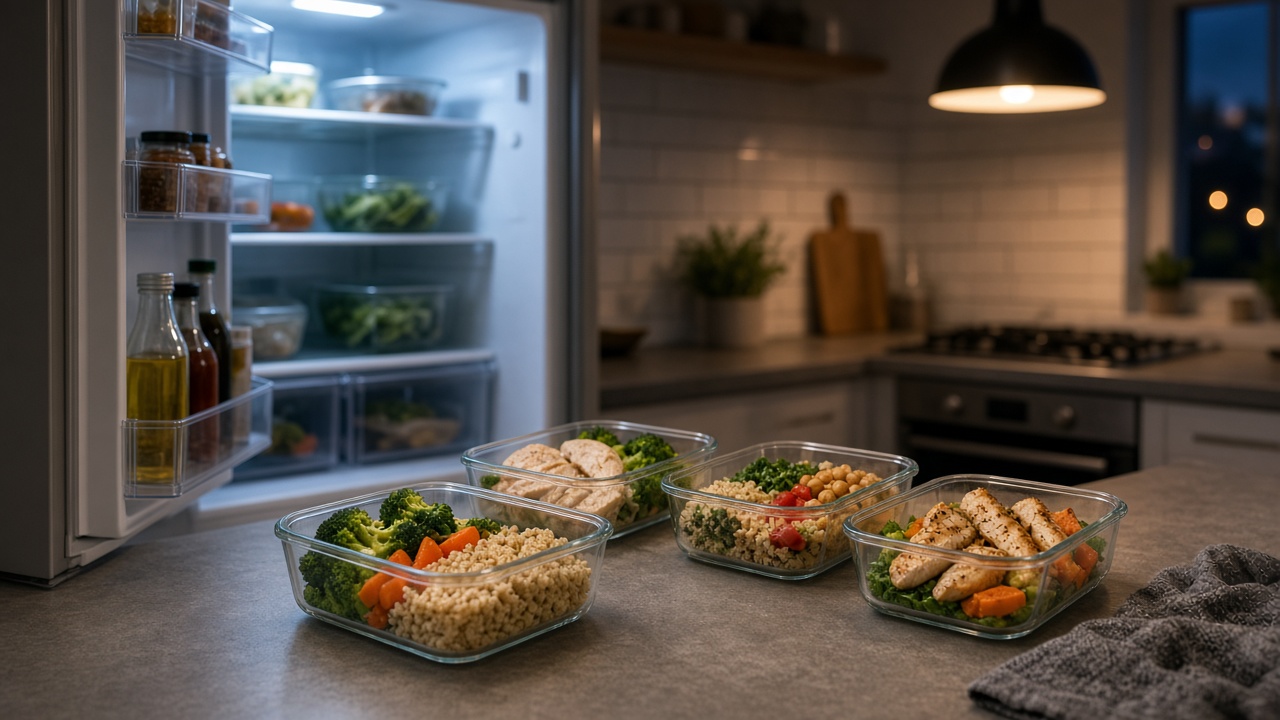
GustoPlan can generate a weekend prep plan based on the menu you have chosen. For example, you can cook one grain for two dishes, prepare several vegetables at once or get ahead on a sauce that will be used later.
It does not necessarily mean cooking every meal on Sunday. Sometimes a few shared preparations are enough to make busy evenings noticeably easier.
Variety without compromising on quality
Planning should not mean always eating the same dishes. GustoPlan takes your menu history into account to limit repetition and draws on a catalogue sorted by time, cost, preferences and season.
A busy family, a person living alone, a couple, a student or an athlete do not have the same portions or the same priorities. The quality of a menu lies in that adaptation: good recipes, at the right time, in sensible quantities.
How to plan your first week with GustoPlan
It all comes down to five simple steps:
- Fill in your profile, the number of people eating, your budget and your constraints.
- Say how much time you can realistically spend on meals.
- Generate your menu and browse the suggested recipes.
- Replace any dishes that do not suit you before confirming the week.
- Use the list sorted by aisle and, if you like, the batch cooking plan.
Just remember to remove from the list anything you already have in your cupboards. That way, the automation stays connected to your real kitchen.
A co-pilot for your meals, not an autopilot
GustoPlan's real strength is not just generating recipes. It lies in the link between all your decisions: your profile shapes the menu, the menu sets the quantities, the quantities build the shopping list, and the chosen recipes let you organise your batch cooking.
You remain free to swap a dish and choose what you buy. GustoPlan mainly takes care of the repetitive part: searching, calculating, grouping and ordering.
If the question "What are we eating this week?" comes up too often in your home, try GustoPlan for free. In a few minutes, you can create a first menu suited to your everyday life and see the difference a week planned as a whole makes, from the first meal to the last item in your basket.
Sources
- GustoPlan: features, profiles, shopping list and batch cooking
- French Ministry for the Ecological Transition: food waste, 2023 data updated on 19 August 2026